Kedros Estates
A more personal way to find a home on Crete.
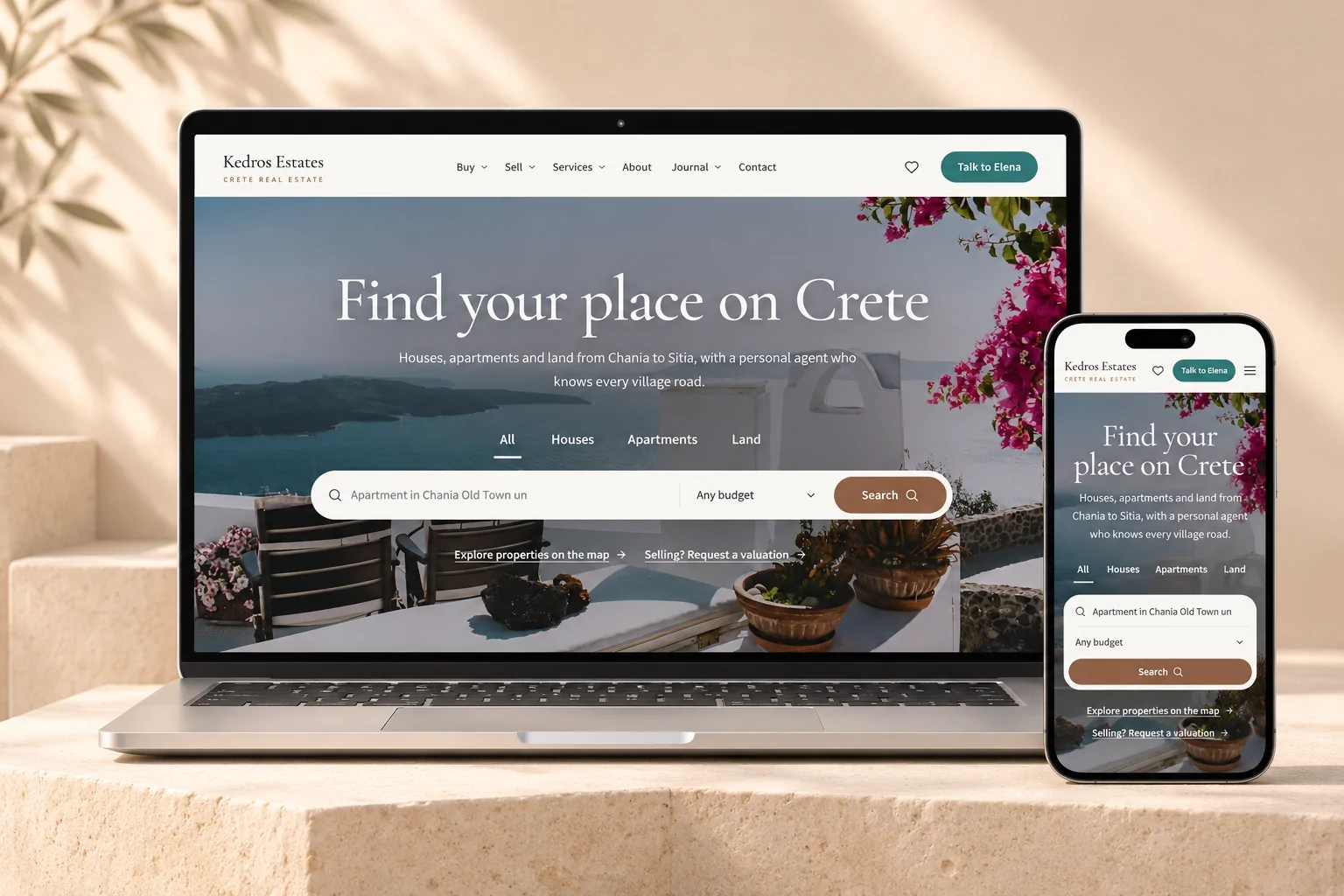
A small agency needs a different advantage
An independent concept, built to explore one question: how can a small agency offer something more useful than another long list of properties? The answer here is clear information, a short catalogue and a visible route to a personal conversation. The agency, the agent and every listing are invented, and the site says so on every page.
Two audiences, two different next steps
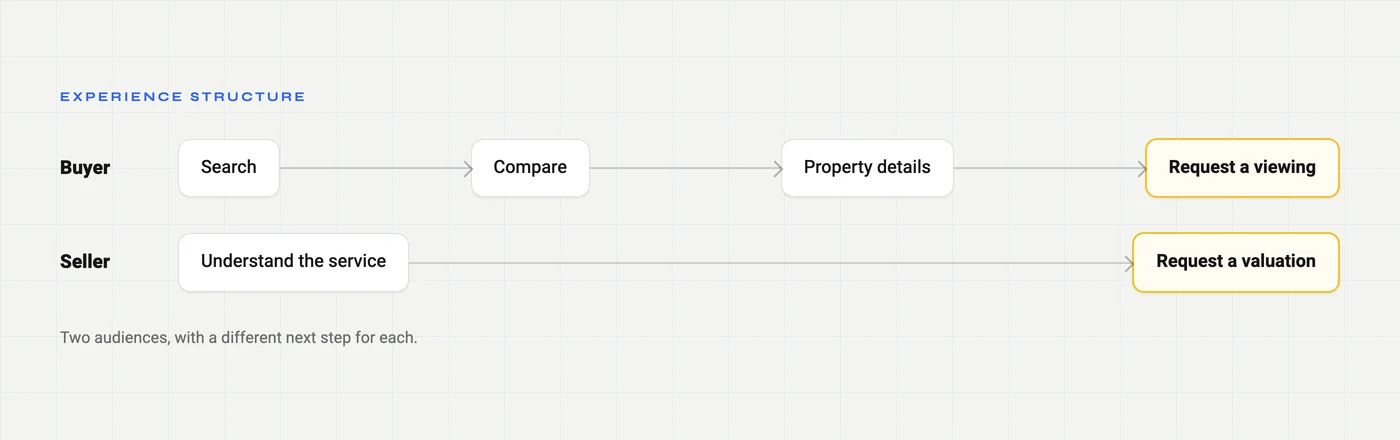
A buyer and a seller arrive with different questions, so the site was planned around two routes rather than one funnel. A buyer searches, compares, reads a listing and asks for a viewing. A seller wants to know who will handle the property, and is led to a valuation request.
The structure the site is planned on
Both routes share the same catalogue and the same visual language, and part at the point where the next step differs. Keeping them separate is what stops the selling service from being buried under the property search.
Experience structure. Two audiences, with a different next step for each.
A sense of place, with room for the details
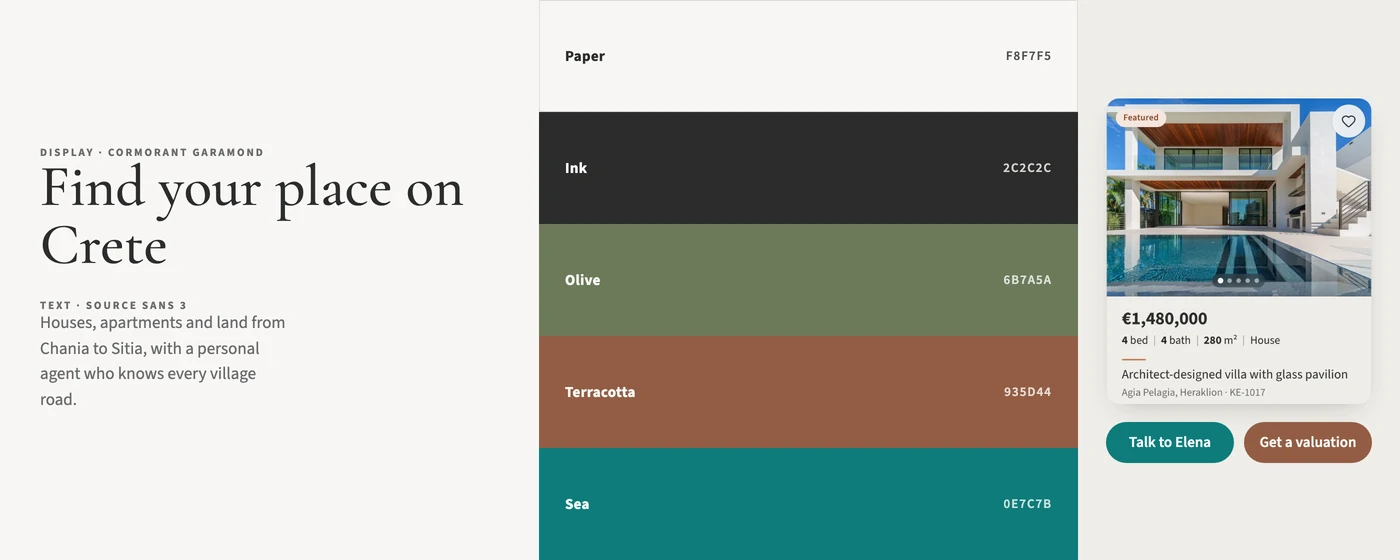
Mediterranean photography sits against warm neutrals, a serif for headings and a plain sans for everything a buyer has to read closely. Terracotta carries the search and valuation buttons, sea green carries the one call that leads to a person. The aim is a recognisable character that still lets the practical information be scanned.
The design language as built: Cormorant Garamond and Source Sans 3, the five colours taken from the site's own tokens, and a real listing card.
Suggestions before you finish typing
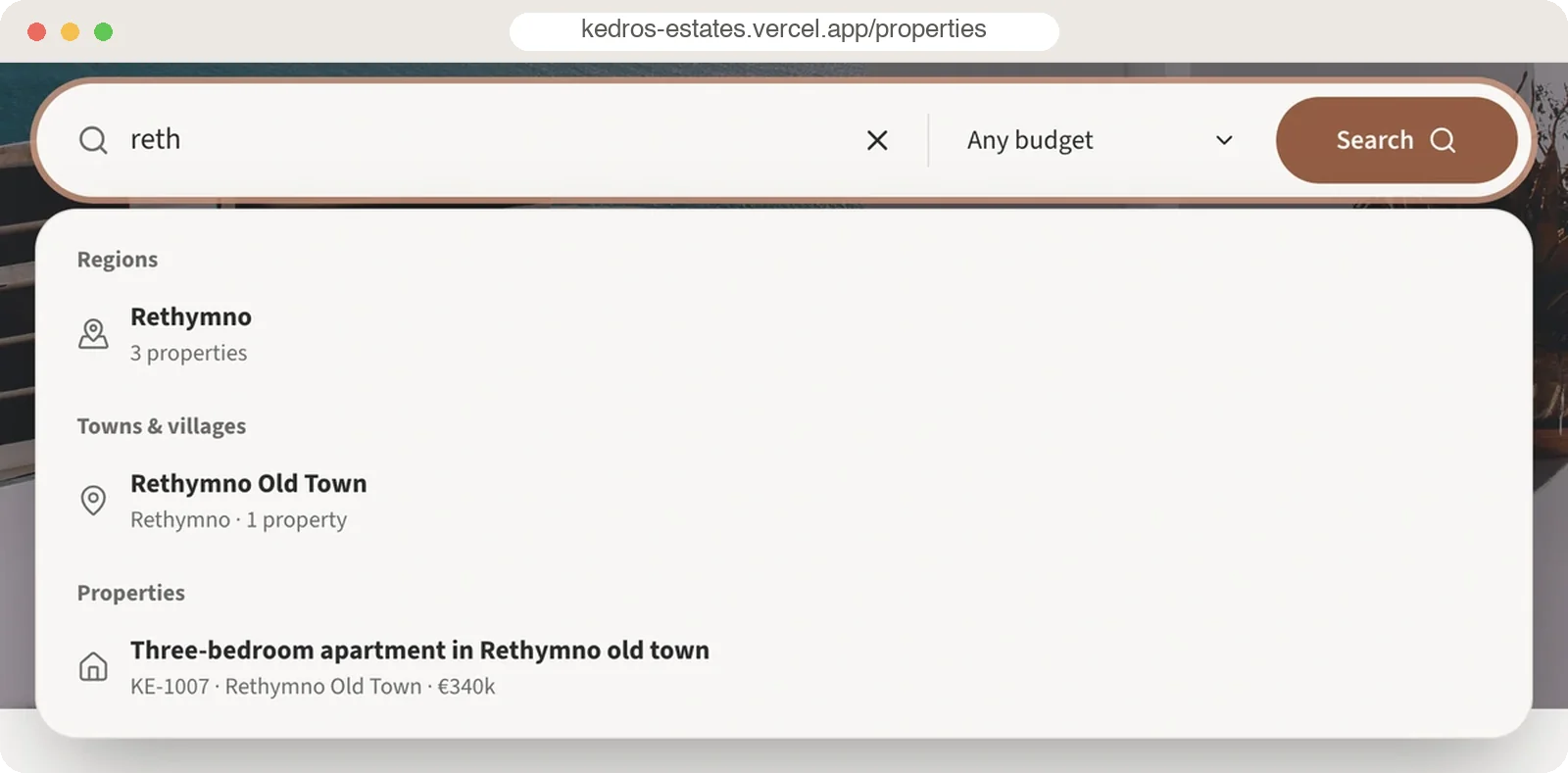
Four letters are enough. The box answers in groups, so a visitor can tell a region from a village from a single listing, and each line carries what it costs to choose it: how many properties a place holds, or a property's own reference and price.
Suggestions group regions, villages and individual properties, helping visitors find the right starting point.
Make the search easier to narrow
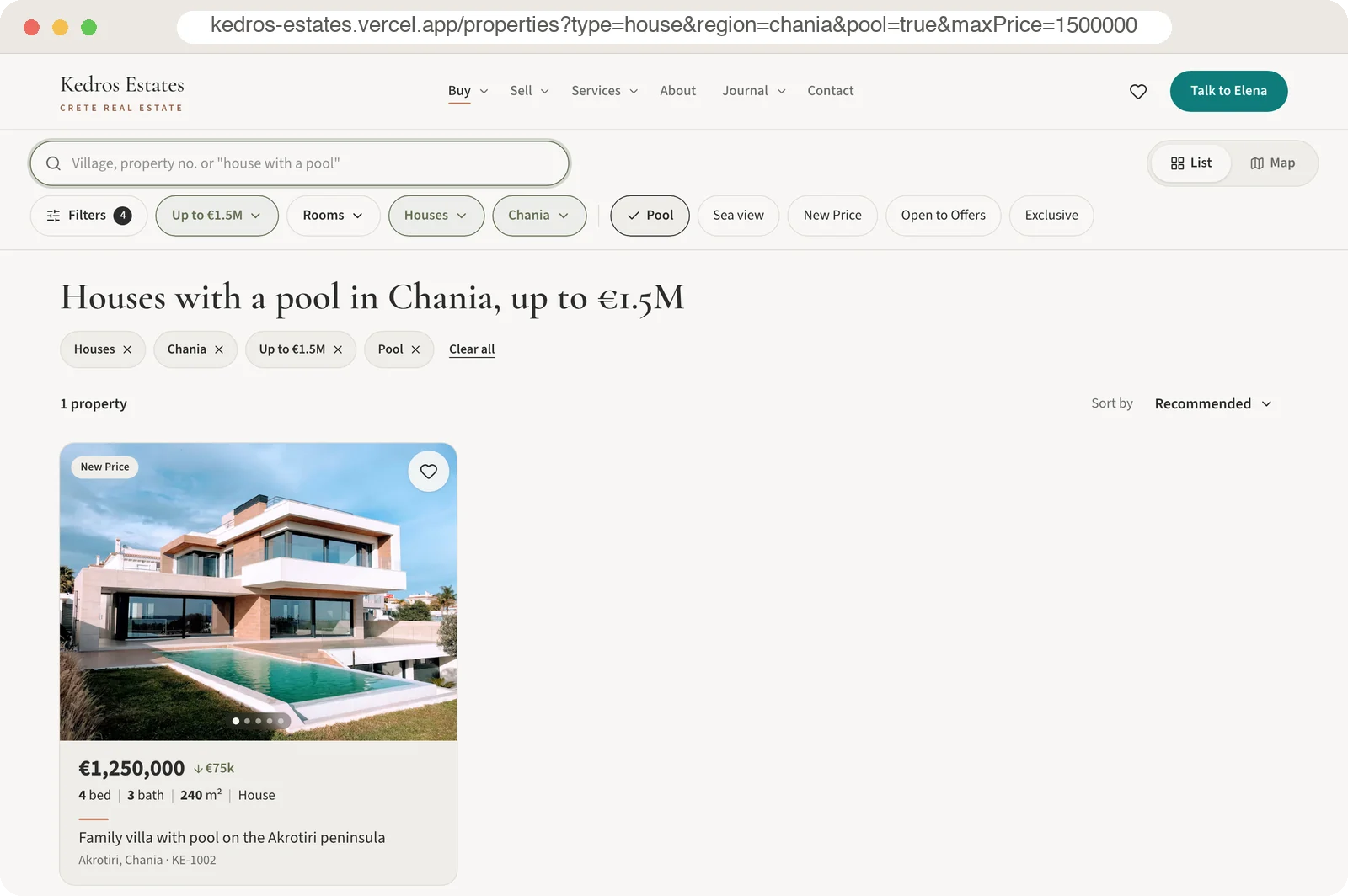
One box takes a village, a region or a property number, and forgives a misspelt place name. A whole sentence works too: house with a pool in Chania under 1.5M becomes four removable chips and a heading rewritten in plain words.
One sentence, four chips: house with a pool in Chania under 1.5M. Search, filters and sort live in the address, so the same selection can be shared by pasting the link.
Every filter in one panel
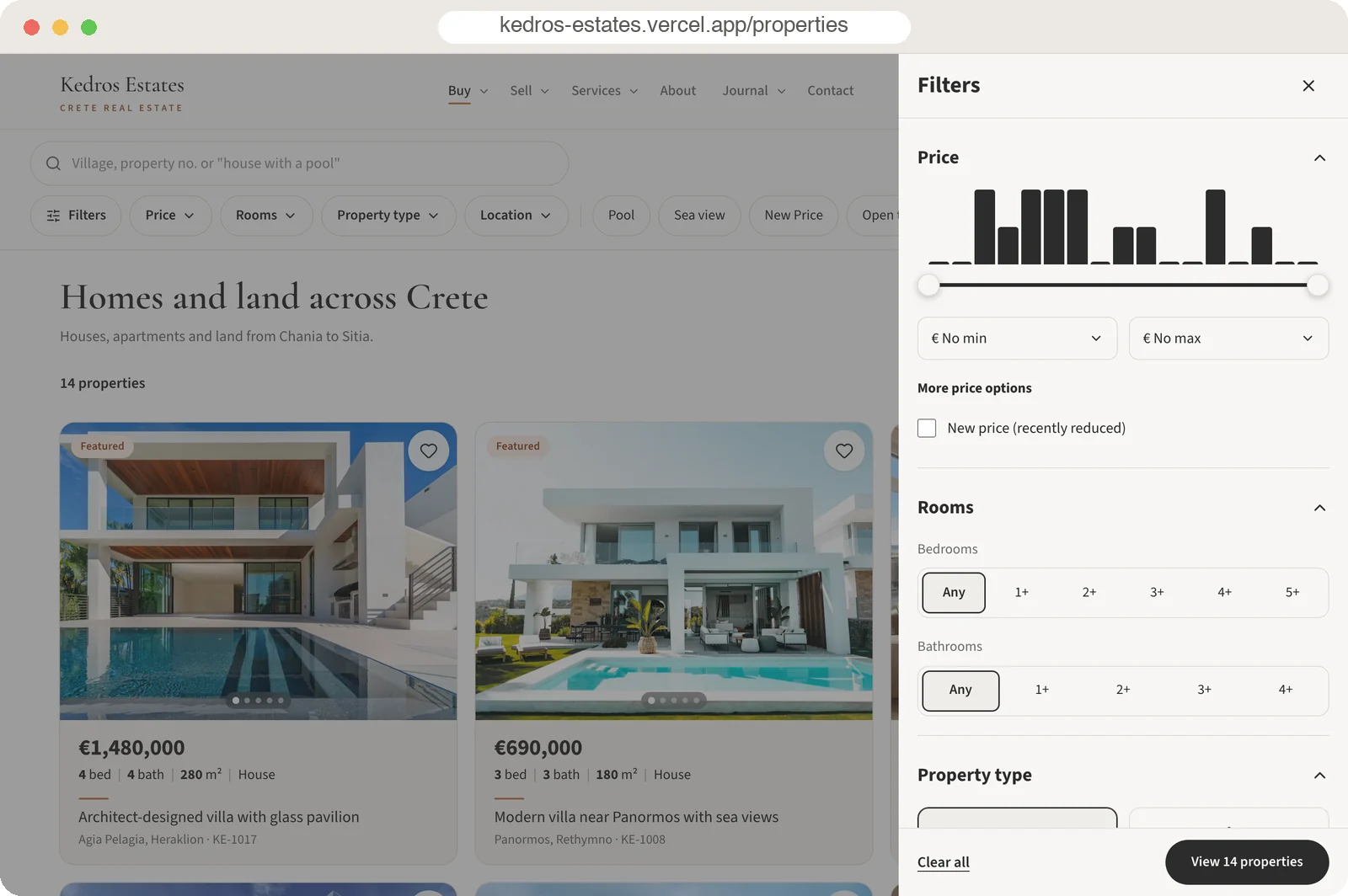
Price opens as a histogram of what is actually for sale, so a visitor sees where the homes are before choosing a range. Below it sit bedrooms and bathrooms, the type of property, the region, pool and sea view, the agency's collections, size and listing status, and the button at the foot counts the homes that match before the panel is closed.
One panel for every filter; the button counts the matches before it closes.
A list or a map, the same selection
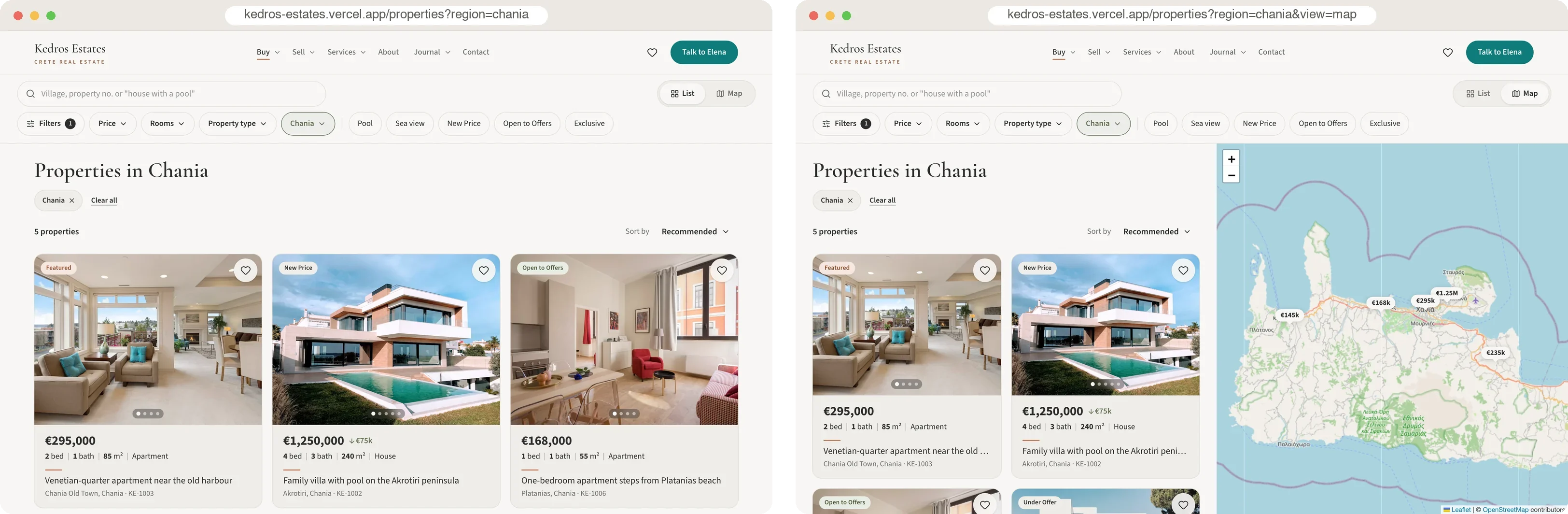
One switch turns the results from a list of homes into a map of Crete with each price on it. The search and the filters stay as they are, because they live in the address: the same selection moves between the two views and can be shared with a link.
The same five homes in Chania, as a list and on the map.
Answer first, ask second
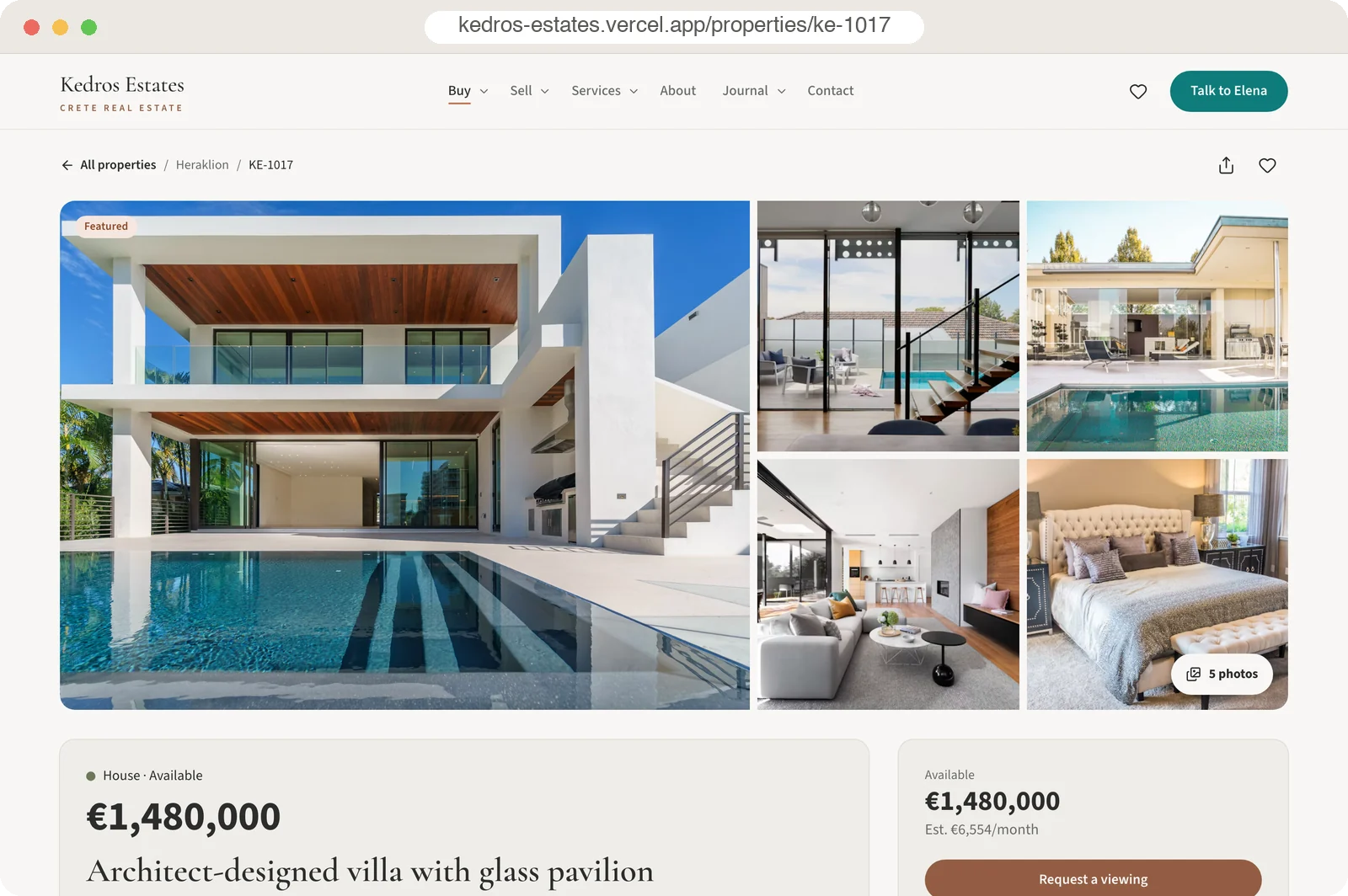
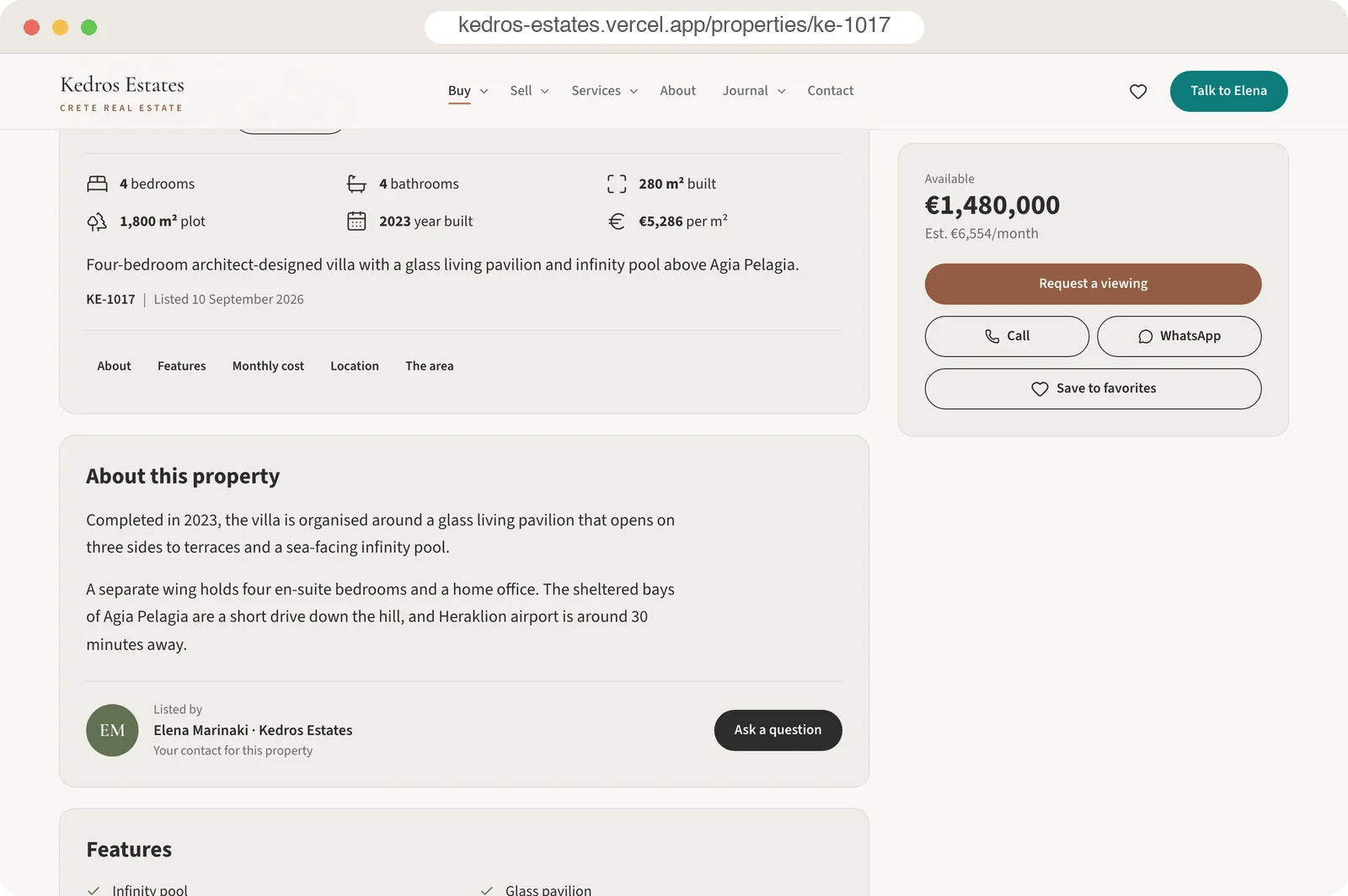
A listing opens with its photographs, then price, type, reference and a row of facts: beds, baths, built and plot area, year and price per square metre. Below them sits a monthly cost estimate the reader can move, and a map that shades the general area rather than dropping a pin, because the exact address is given when a viewing is arranged.
A property page opens on its photographs, then the price and the facts.
The next step stays within reach
On a desktop a panel stays beside the listing the whole way down, holding request a viewing, call, WhatsApp and save to favourites. On a phone a bar follows the reader with the two that matter. Saved properties persist on the device and collect on a favourites page.
On a computer the panel stays beside the property all the way down.
Give sellers a route of their own
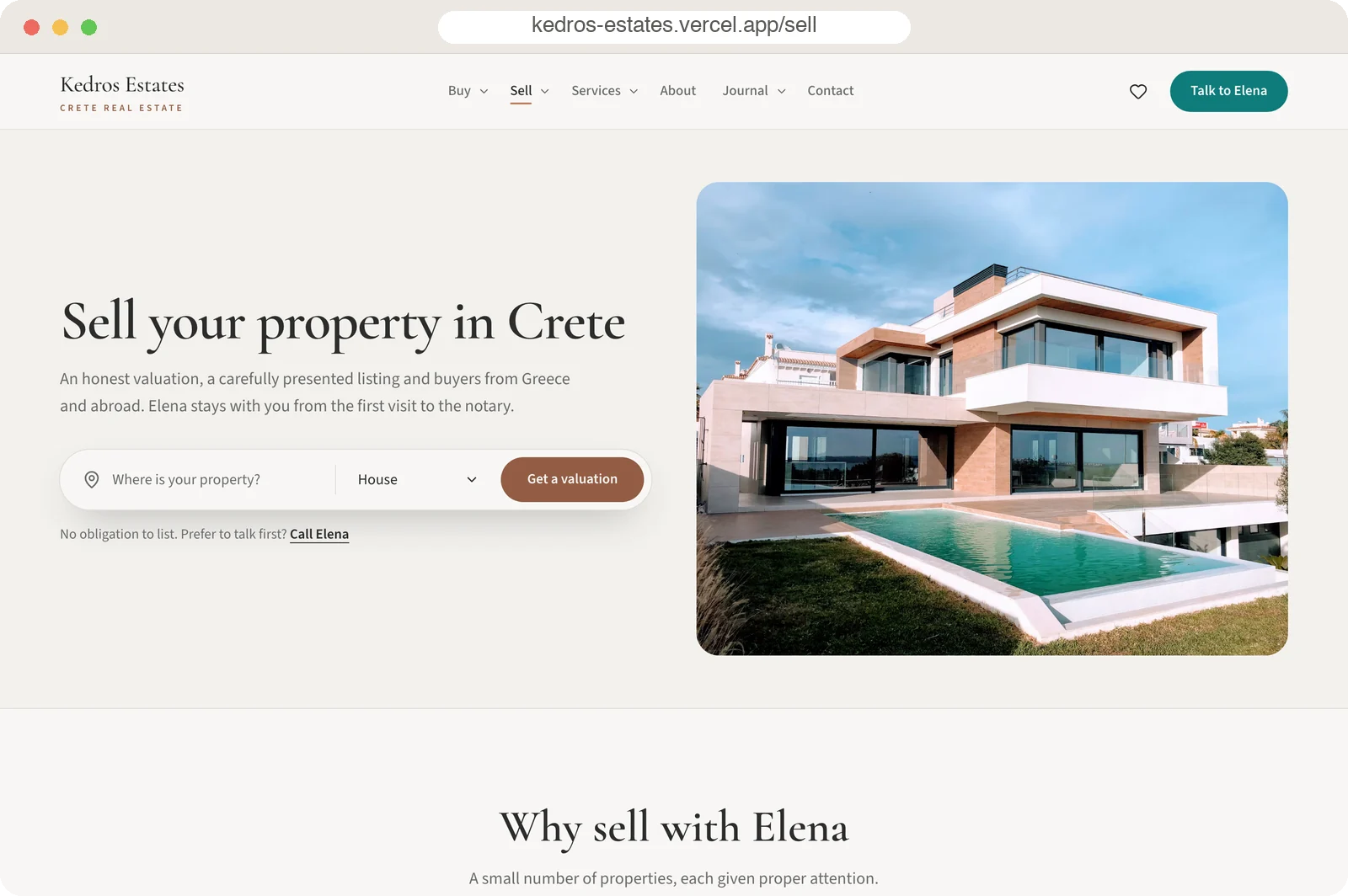
A seller is not browsing. The selling page sets out five steps from the valuation visit to signing at the notary, lists the eight things the service includes, and ends in a valuation request. The town and property type typed at the top are carried down into the form.
A separate journey, from understanding the service to requesting a valuation.
What happens when you send
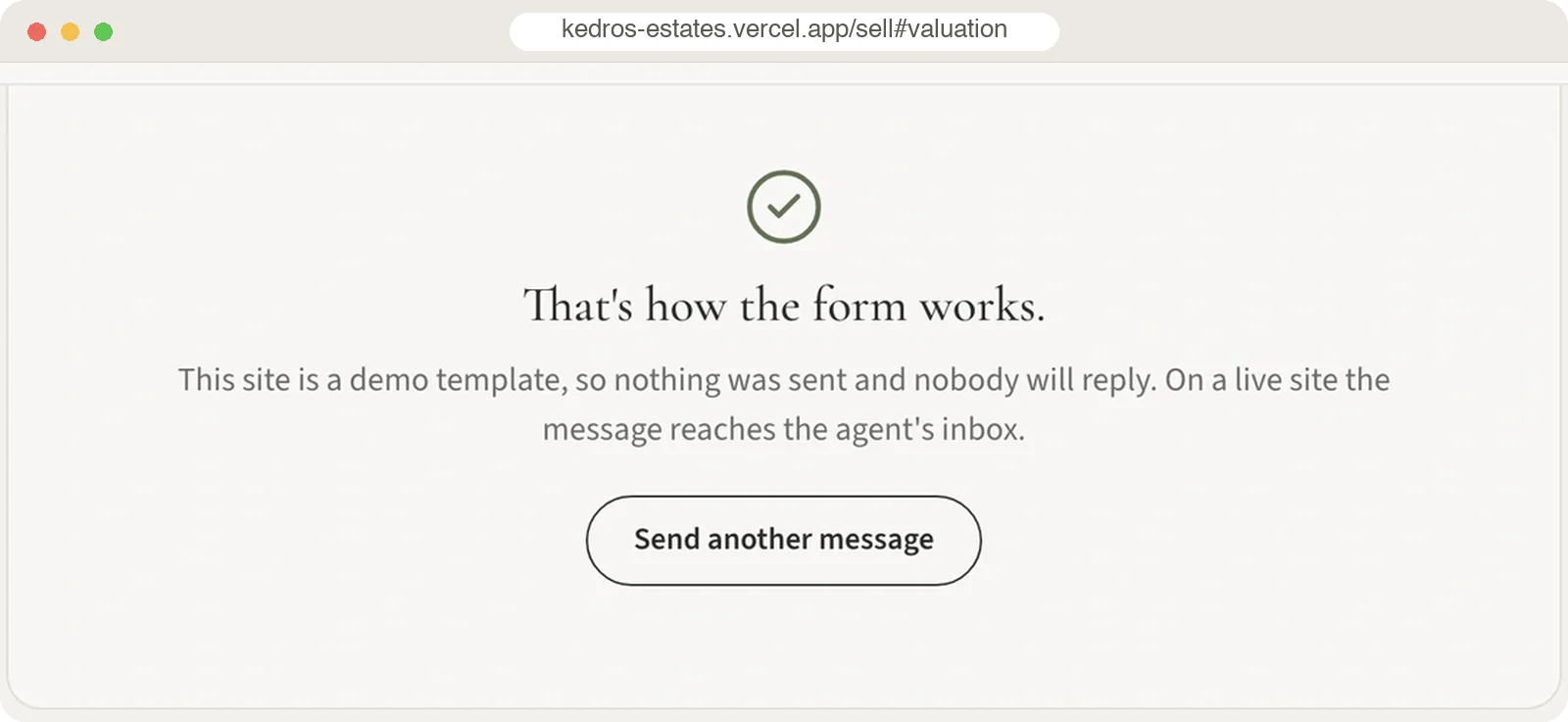
The enquiry runs the whole way: the form validates, posts, and is replaced by a confirmation. Because this is a demo, the confirmation says so rather than pretending someone is reading, and it names where the message would land on a live site.
The demo answers honestly: nothing was sent and nobody will reply, and it says where the message would go on a live site.
From first search to a clear next step
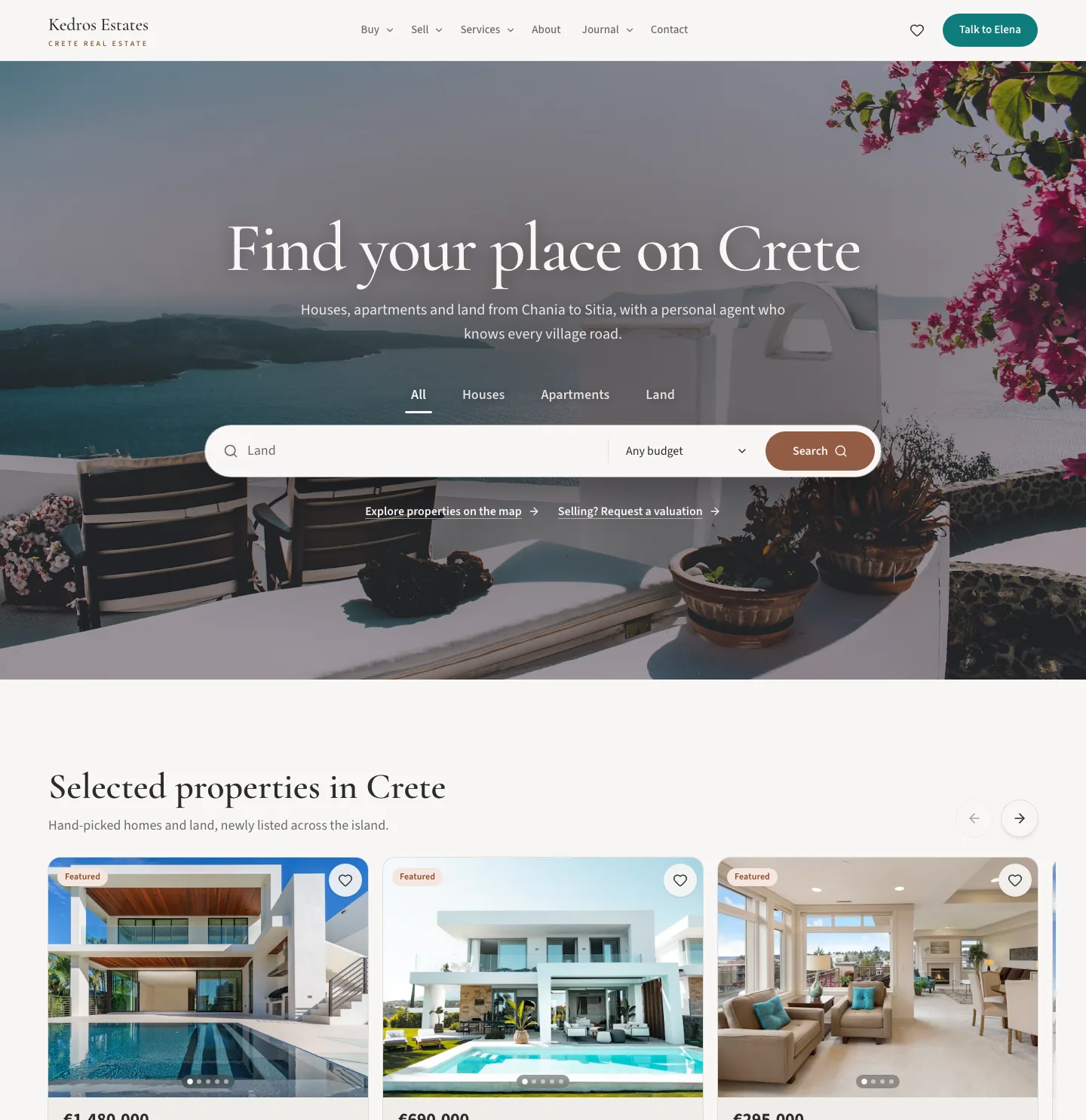
The working demo holds a catalogue with search, filters and a map, seventeen listings with their own pages, a journal, and separate enquiry routes for buyers and sellers. The forms run from end to end and then say plainly that nothing was sent.
The agency, the agent and the listings are invented. Demo forms accept a message and send nothing.
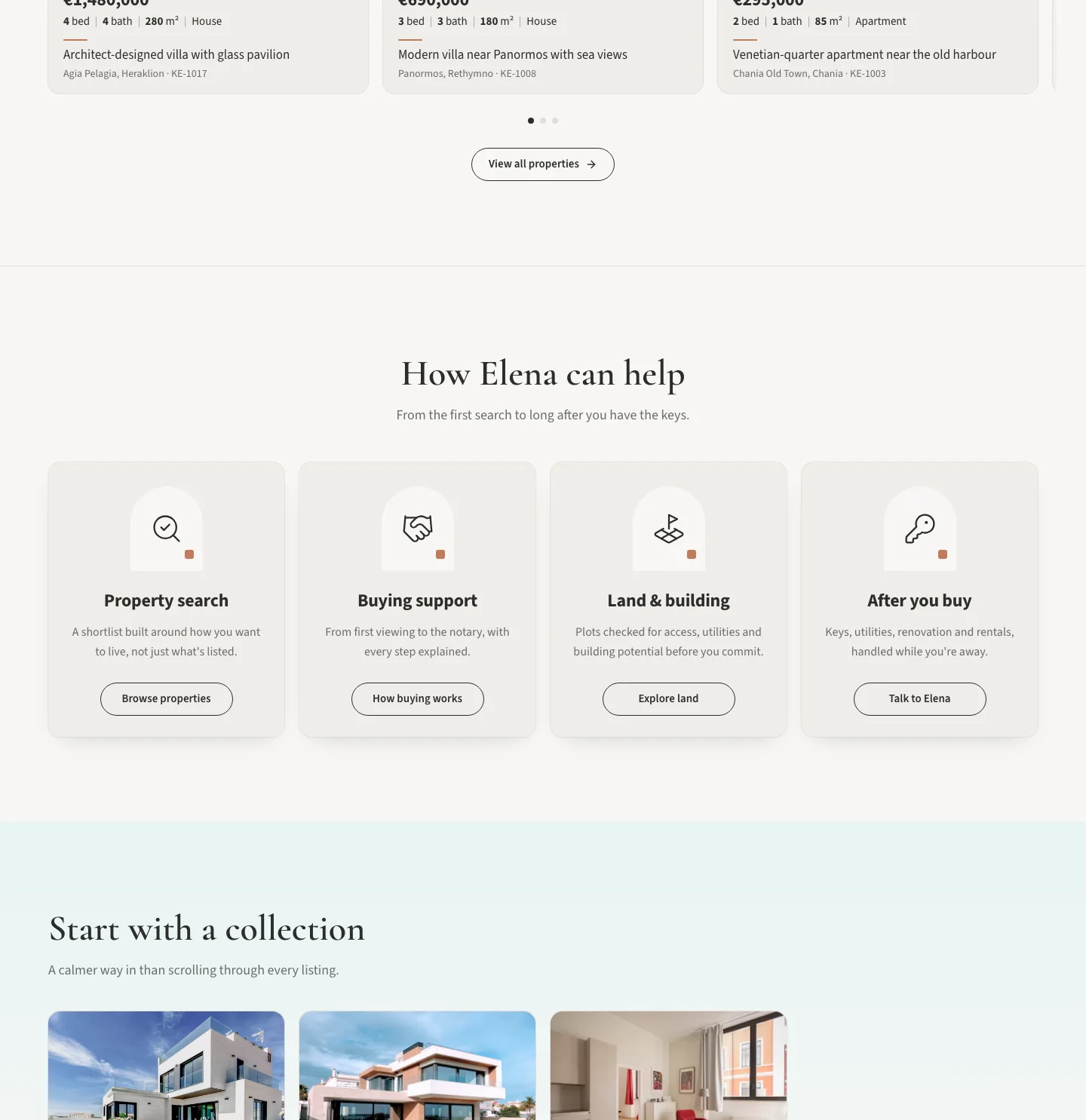
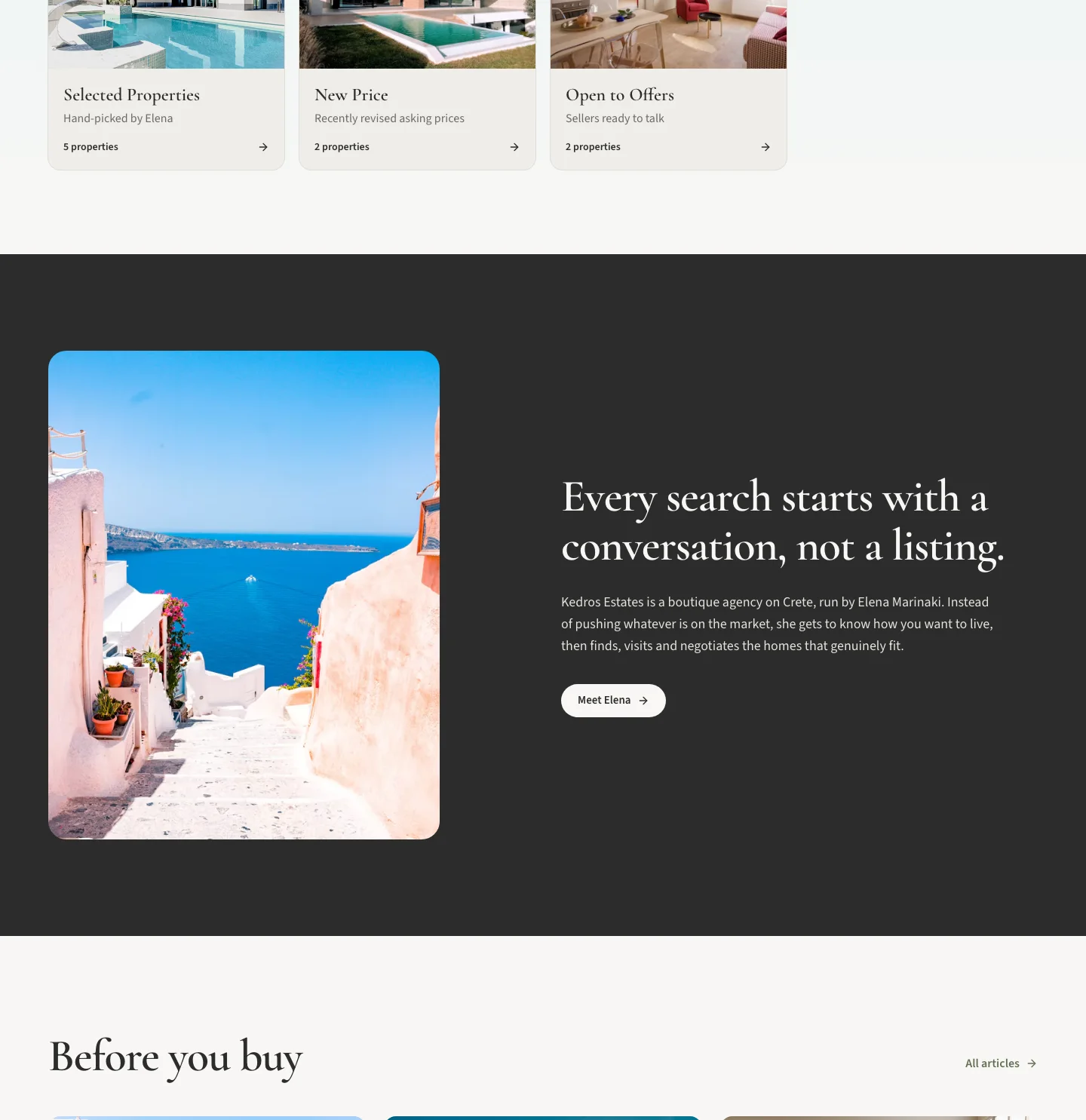
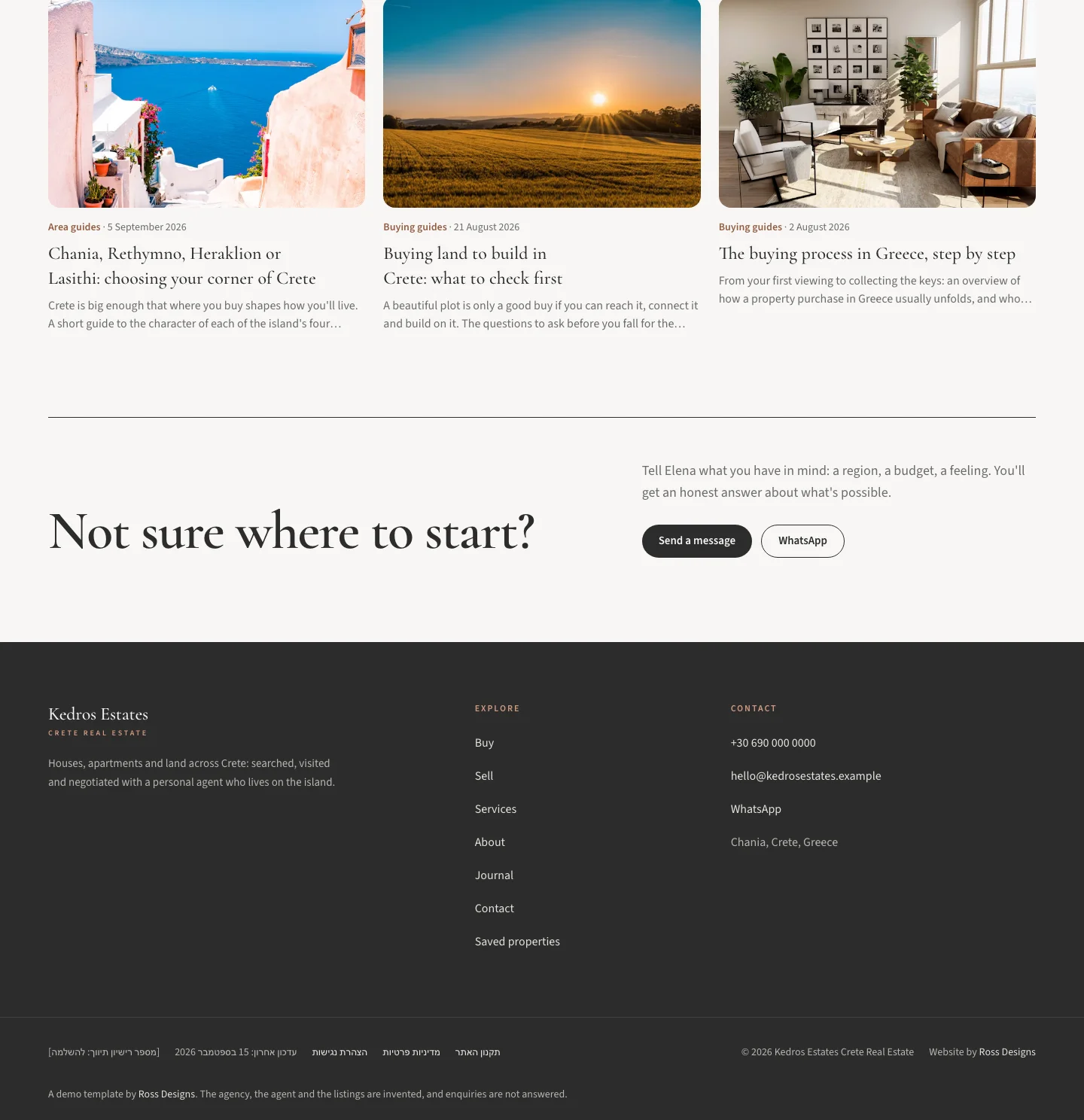
What shipped.
An independent website concept for an invented Crete agency, published as a working demo. Every property page and both catalogue pages are written as static HTML when the site is built, each with its own title and description, and a generated sitemap lists all thirty indexable pages. What is built is ready to take a real agency's listings, details and inbox.
- Catalogue with search, filters, sort and map
- Property pages with an adjustable cost estimate
- Buyer and seller enquiry routes
- Shareable search URLs
- Pre-rendered pages with their own metadata
 Next projectFIZZIQ Open the project